
By Chris Eslinger
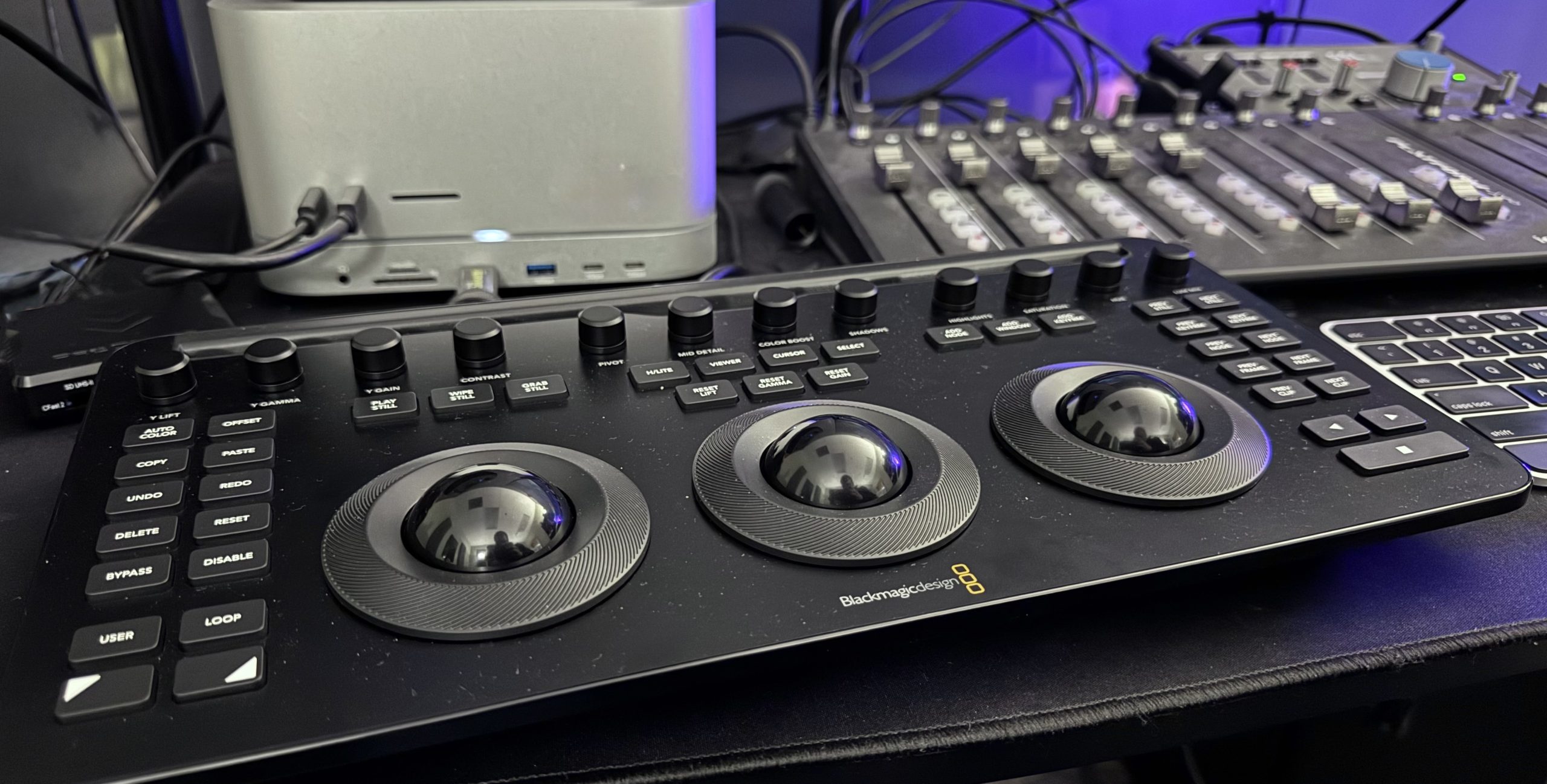
For colorists, video editors, and filmmakers who want to take their grading workflow to the next level, the Blackmagic Design DaVinci Resolve Micro Color Panel is a game-changer. Having spent significant time with the panel, I can confidently say that it delivers an intuitive, tactile experience that enhances efficiency and creative control in a way that software controls simply cannot match.
A Hands-On Approach to Color Grading
One of the most significant benefits of the DaVinci Resolve Micro Color Panel is its tactile control. Instead of relying solely on a mouse and keyboard, which can slow down precision adjustments, the physical trackballs, knobs, and buttons provide an immediate and intuitive way to manipulate color. I found that being able to keep my eyes on the footage rather than constantly glancing at digital dials on a screen made a huge difference in my workflow. The hands-on control allowed me to focus purely on the image and how my adjustments affected the footage rather than being distracted by UI elements.
Speeding Up the Workflow
Time is money in the world of post-production, and this panel significantly sped up my workflow. The ability to quickly tweak lift, gamma, and gain settings with the three trackballs felt incredibly natural. The additional knobs for contrast, saturation, and hue shifts provided granular control over my color grades without needing to dive into menus. It was refreshing to experience such an efficient workflow, where small refinements could be made in seconds rather than minutes.
Tested Across Various Footage Types
To put the DaVinci Resolve Micro Color Panel to the test, I used footage from multiple cameras and various lighting conditions. From high-dynamic-range (HDR) shots in bright daylight to moody, low-light scenes, the panel allowed me to quickly adapt and perfect the color grading for each scenario. The fine level of control was especially useful when grading footage from different cameras, ensuring that I could easily match color tones between shots without unnecessary struggle.
Intuitive and Accessible
One of the things that struck me the most was how intuitive the Micro Color Panel is. Without spending hours watching tutorials or reading manuals, I was able to jump right in and start grading. The layout of the controls is ergonomic and logical, meaning that the most commonly used adjustments are right at your fingertips. Whether adjusting shadows, highlights, or mid-tones, every interaction felt smooth and natural.
Build Quality and Design
The build quality is lightweight yet solid. The panel has a professional feel, with well-crafted trackballs that glide effortlessly and buttons that feel responsive. There’s no sense of cheapness or compromise in its construction—it is clearly designed for professionals who demand reliability. Despite its robust build, it remains compact and desk-friendly, making it an ideal choice for home studios or smaller editing suites.
Final Verdict
The Blackmagic Design DaVinci Resolve Micro Color Panel is an exceptional tool for colorists and editors looking to enhance their workflow. With its tactile control, intuitive design, and professional-grade build quality, it delivers a transformative color grading experience. While it is limited to DaVinci Resolve users, those within the ecosystem will find it to be an invaluable addition to their setup. If you’re serious about color grading, this panel is a must-buy.
Chris’s Report Card
Flexibility – 4 Stars
While the DaVinci Resolve Micro Color Panel is an incredible tool, it does have one major limitation: it only works with DaVinci Resolve. If you primarily use other editing and color grading software such as Adobe Premiere Pro or Final Cut Pro, you won’t be able to integrate this panel into those programs directly. You would first need to grade your footage in resolve, then either export the footage or a LUT over to your software of choice. That being said, if you are committed to getting the best color out of your footage, then this panel is an absolute must-have, and the additional steps are insignificant compared to the overall time savings and improved quality that tactile control affords you.
Stability – 5 Stars
In all my testing, the panel performed flawlessly. It connected seamlessly to DaVinci Resolve, never lagged, and had zero connection issues. The tactile controls were consistent and reliable, with no unresponsiveness or calibration problems. It’s clear that Blackmagic Design has prioritized stability, ensuring that users experience a professional-grade product that won’t let them down.
Ease of Use – 5 Stars
This panel shines in terms of usability. The intuitive design means that even those new to hardware color panels will find it easy to learn and integrate into their workflow. The tactile controls provide a natural extension of the software, making grading a much more fluid and immersive experience.
Quality – 5 Stars
From the build materials to the smoothness of the controls, the DaVinci Resolve Micro Color Panel exudes quality. Every component feels well-engineered and designed to last, making it a worthy investment for professionals looking to elevate their color grading process.
Overall Value – 5 Stars
Considering the efficiency gains, build quality, and user experience, the Micro Color Panel is worth every penny. It makes color grading faster, more precise, and more enjoyable, making it an excellent investment for anyone serious about post-production work.

Chris Eslinger has been serving in churches since 2014 as the staff technical director and currently works at New Freedom Church. He has also worked in touring audio as well as corporate AV. He has a B.S. in Music and Worship from Johnson University in Knoxville, TN. He also does AVL and leadership structure consulting work with church organizations. You can find more info along with his blog and podcast at chriseslinger.com